- Summary: The purpose of the collection. The machine learning framework used for the machine learning experiment.
- License: The legal terms and permissions associated with the use of the machine learning model. It helps model users understand the legal framework under which they can utilize the model. Common licenses include Apache 2.0, MIT, and GPL.
- References: Citations or references to relevant research papers, datasets, or external resources.
- Training data: Describe the training data used
- Processing: Processing done on the training data set.
- Data storage: Where is that data stored and how to access it.
- Architecture: Information about the model architecture, layers, and any specific design choices.
- Task: The specific type of task or problem that the machine that the collection model is designed to perform. It’s a categorization of the model’s intended capability.
- Deserialize the model: Provide information on how someone on your team can load the model into memory.
- Deployment: Details on how and where the model is deployed and guidance on how the model is integrated into other enterprise systems, such as a workflow orchestration platforms.
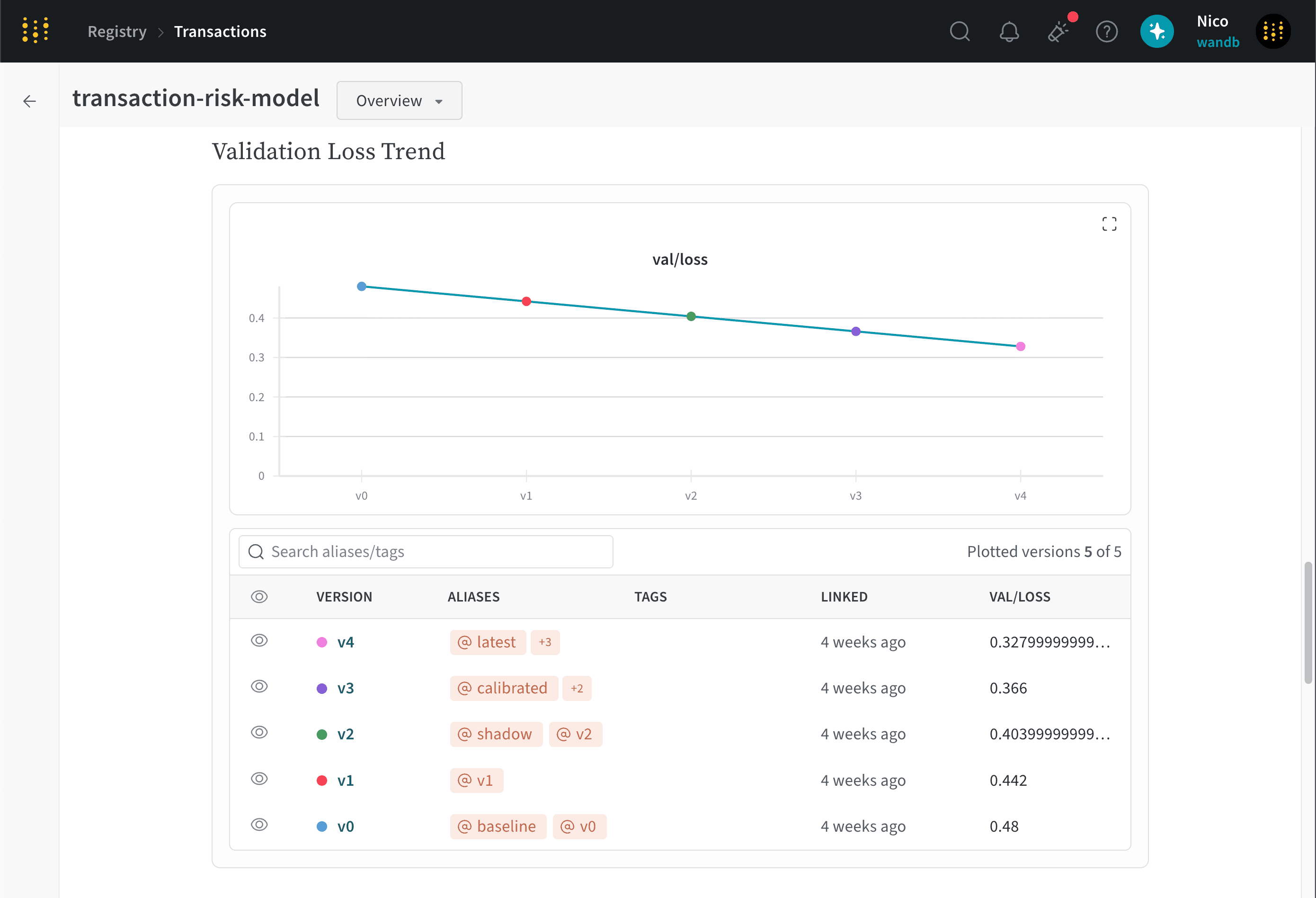
- Compare metrics: Compare metrics across different versions of artifacts linked to the collection. This helps users understand how the model has evolved over time and how different versions perform on specific tasks.
Add a description to a collection
Interactively or programmatically add a description to a collection with the W&B Registry UI or Python SDK.- W&B Registry UI
- Python SDK
- Navigate to the W&B Registry.
- Click on a collection.
- Select View details next to the name of the collection.
- Select the Collection card tab.
- Click the Edit card button.
- Within the collection card editor, add a description to the collection. You can use Markdown formatting to style your text.
Compare metrics across artifacts versions
Within the collection card editor, you can compare metrics across different versions of artifacts linked to the collection.- Within the collection card editor, type a forward slash (
/) to open a dropdown list of available Markdown formatting options. - Select Compare metrics to add a metrics comparison table to the collection card.
val/loss across 5 different artifact versions linked to the transaction-risk-model collection.